
Download ShowMacster – Mac iChat Screen Sharing & Audio Tool
Overview
ShowMacster is a lightweight, Mac‑only utility that transforms the way you use iChat for real‑time collaboration. First released in 2006, the program has evolved through several macOS generations, most recently adding Leopard compatibility and the ability to stream audio directly into iChat sessions. The current version 1.9, updated on January 28 2008, packs a robust set of screen‑broadcast and sketching tools into an installer that occupies far less storage than typical Internet software.
Designed for direct communication, ShowMacster lets you broadcast your desktop, annotate live with drawing primitives, and even share microphone input, making it ideal for troubleshooting, remote teaching, or quick visual demos. Although the trial version is free to download, a full license unlocks additional sketchboard features and removes the occasional watermark. Because the application targets macOS 10.4 Tiger and later, it works seamlessly on both older PowerPC Macs and newer Intel‑based machines, provided they run at least OS X 10.5 Leopard.
In short, ShowMacster offers a secure, easy‑to‑install solution for anyone who needs to combine screen sharing with voice chat inside iChat, without the bloat of larger conferencing suites.
Key Features
- Live Screen Broadcasting: Capture your entire desktop or a selected window and stream it instantly to an iChat conversation.
- Audio Injection: Send microphone audio directly into iChat, enabling a true two‑way communication experience.
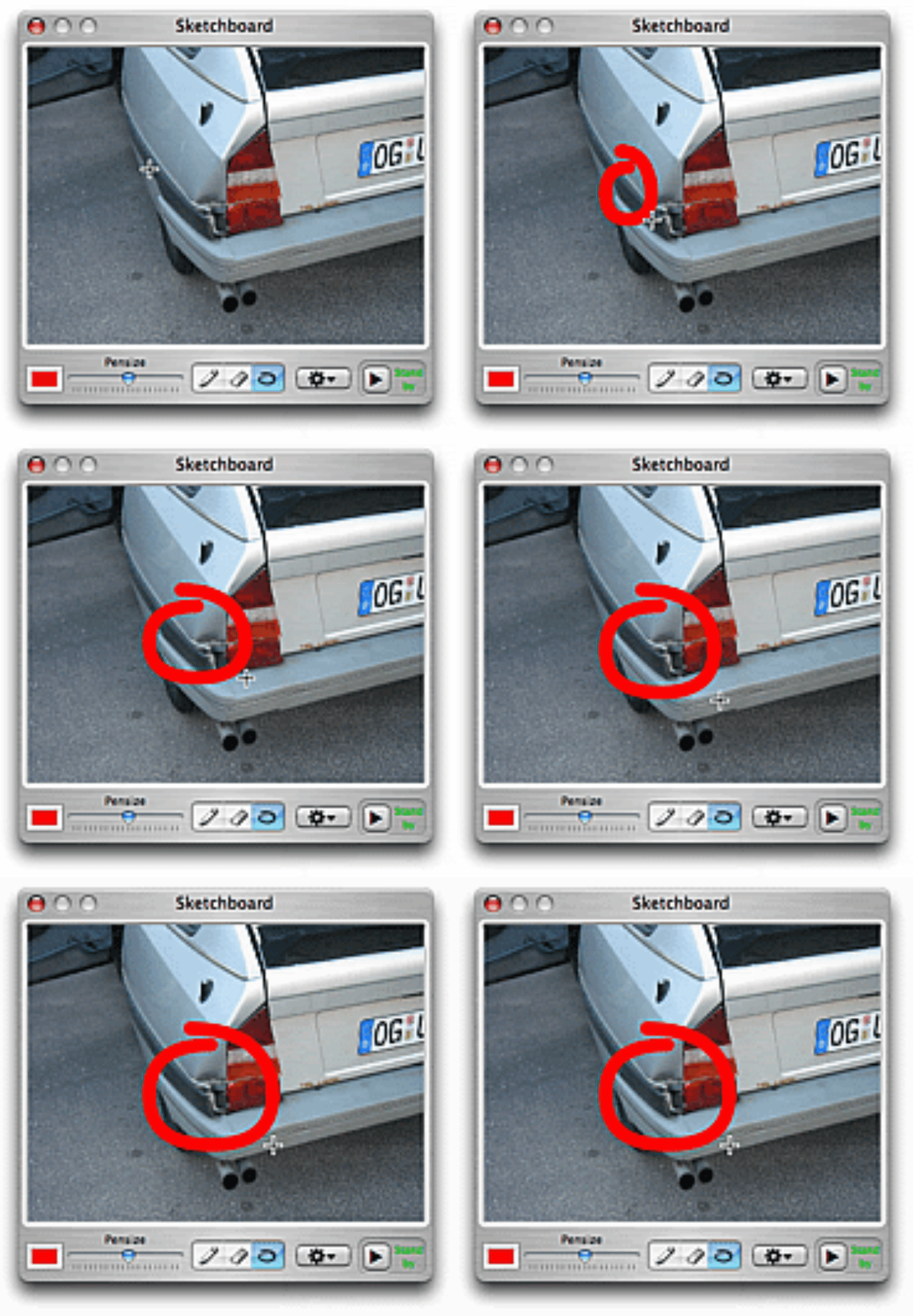
- Sketchboard Tools: New drawing primitives – circle, rectangle, line – plus a text tool for on‑the‑fly annotations.
- Resizable Sketch Panel: Adjust the sketchboard size to match your presentation needs without losing clarity.
- Mouse Position Indicator: Highlight the cursor location for viewers, perfect for guiding attention during demos.
- Multi‑Monitor Support: Fixed frame‑positioning bugs ensure smooth streaming across dual‑screen setups.
- Leopard Compatibility: Updated to run on macOS 10.5 and later, including support for Intel‑based Macs.
- Unified Installer: One package works for Panther, Tiger, and Leopard, simplifying deployment.
- Low Resource Footprint: Consumes minimal RAM and disk space compared with competing screen‑share tools.
- Secure Transmission: Uses iChat’s built‑in encryption to keep your screen data private.
Installation, Usage & Compatibility
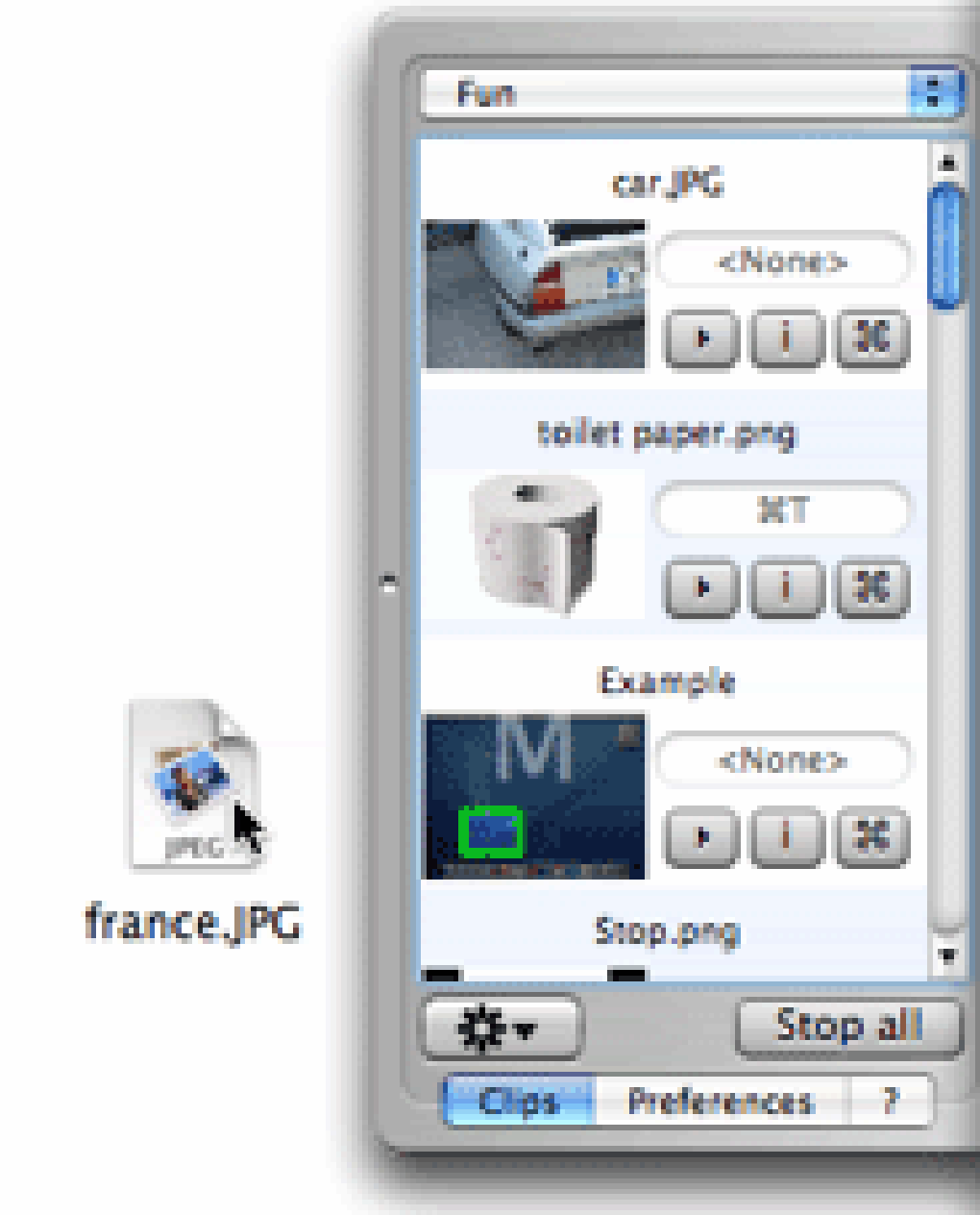
Downloading ShowMacster is straightforward. Visit the official download page, click the “Download Free Trial” button, and save the .dmg file to your Mac. The unified installer package works for both older Panther/Tiger systems and newer Leopard machines, so you won’t need separate versions. After opening the disk image, drag the ShowMacster icon into your /Applications folder. macOS may prompt you to confirm that you trust the developer; simply click “Open” to proceed.
First‑time launch will present a brief tutorial overlay that walks you through the main controls: the broadcast toggle, audio source selector, and the sketchboard toolbar. To start a screen share, open iChat, start a chat window with your contact, and click the ShowMacster icon that appears in the chat toolbar. Choose whether to share the entire screen or a specific application window. If you need to annotate, click the sketchboard button; the panel slides out, giving you access to drawing tools, a text box, and the option to display your mouse pointer.
ShowMacster is compatible with macOS 10.4 Tiger, 10.5 Leopard, and any later releases that maintain iChat (now Messages) compatibility. While the trial version works on both PowerPC and Intel Macs, the full license unlocks additional sketchboard layers that benefit high‑resolution displays. Users on macOS 10.6 Snow Leopard or newer will experience the same performance because the application relies on legacy APIs that remain stable across versions. For optimal results, ensure your iChat is updated to the latest patch, and that your microphone is selected in System Preferences → Sound.
When you finish a session, simply click the “Stop Broadcast” button in the ShowMacster toolbar. The application automatically restores your original screen resolution and hides the sketchboard. All settings—such as preferred audio input and default window size—are saved, so the next time you launch ShowMacster it will be ready to go. If you encounter any issues, the built‑in “Help & Support” menu links to a knowledge base that covers common troubleshooting steps, including how to resolve occasional audio sync problems on multi‑monitor setups.
Pros, Cons & Frequently Asked Questions
Pros
- Lightweight and fast; minimal impact on system performance.
- Direct audio integration with iChat eliminates the need for separate voice apps.
- Rich sketchboard tools for live annotation during demos.
- Works on legacy macOS versions, extending its usefulness to older hardware.
- Secure transmission via iChat’s encrypted channels.
- One‑click installation with a unified installer package.
Cons
- Only available for macOS; Windows and Linux users must look for alternatives.
- The trial version adds a small watermark to the broadcast.
- Requires iChat (or Messages) to be installed; not a standalone conferencing tool.
- Audio quality depends on the microphone and network bandwidth.
- No built‑in recording feature; users must capture video externally if needed.
FAQ
Can ShowMacster broadcast to multiple iChat participants at once?
Yes. When you start a broadcast, any participant in the same iChat group chat will automatically receive the screen stream. The application handles multi‑user distribution without extra configuration.
Is there a limit to the screen resolution I can share?
ShowMacster streams the native resolution of your display. For very high‑resolution Retina screens, the broadcast may be downscaled to ensure smooth playback on the receiver’s side, but the quality remains clear for most use cases.
Do I need an internet connection to use ShowMacster?
A stable internet connection is required for iChat to transmit the screen and audio data. ShowMacster itself does not use additional bandwidth beyond what iChat consumes.
Can I record my broadcast for later review?
ShowMacster does not include a built‑in recorder, but you can use macOS’s QuickTime Player or any third‑party screen‑capture software to record the iChat window while broadcasting.
Is the trial version safe to use for sensitive information?
Yes. ShowMacster leverages iChat’s end‑to‑end encryption, so all screen and audio data remain protected, even in the trial version. The only visual difference is a small, non‑intrusive watermark.
Overall, ShowMacster delivers a focused, secure solution for Mac users who need to combine screen sharing with voice chat inside iChat. Its lightweight design, robust sketchboard, and compatibility with older macOS versions make it stand out among niche communication tools. While the lack of cross‑platform support and the trial watermark are minor drawbacks, the benefits outweigh these issues for most educators, support technicians, and remote collaborators.
Conclusion & Call to Action
If you’re looking for a free, secure way to share your Mac desktop and voice inside iChat, ShowMacster remains one of the most reliable options available. Its compact installer, Leopard compatibility, and powerful sketchboard give you everything needed for quick visual explanations, troubleshooting sessions, or informal teaching. Download the trial today, test the audio‑in‑iChat feature, and decide if the full license’s extra sketch tools are worth the upgrade for your workflow.







